Tool safety: which overlooked part causes breakage?
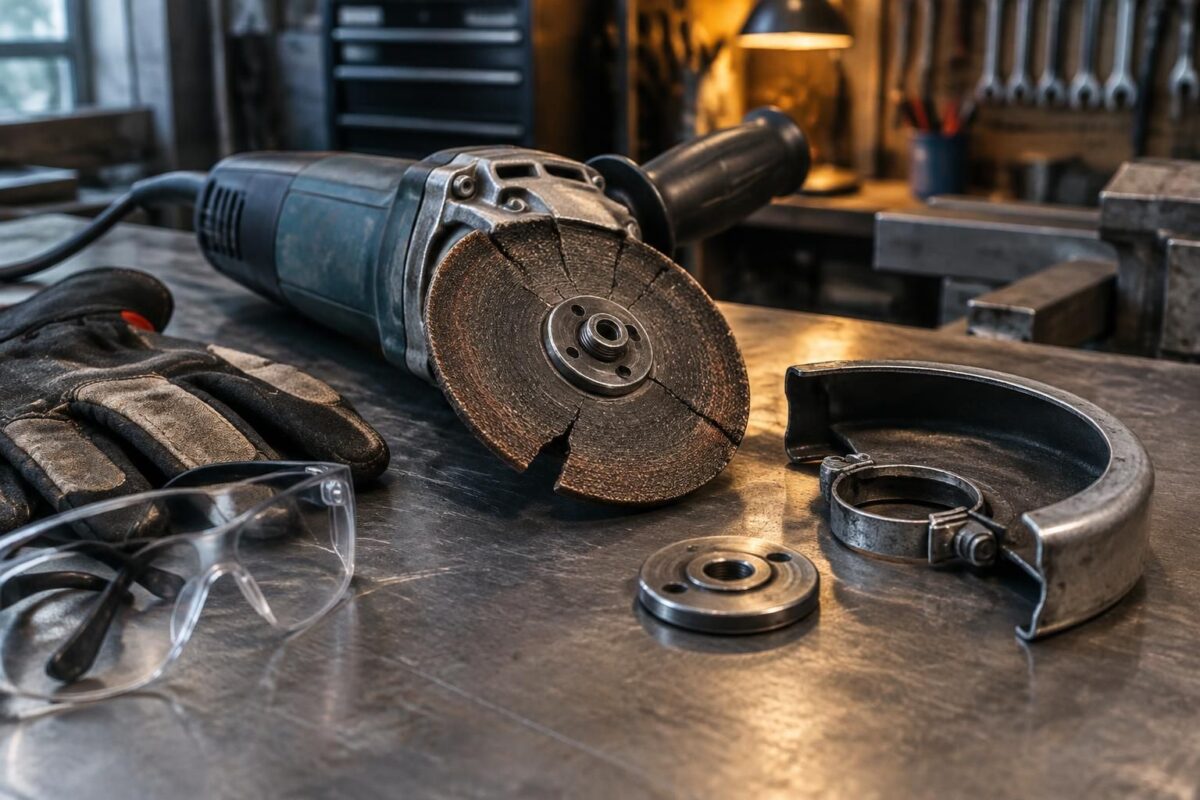
Hi, this is Kyl. The often-overlooked part is the clamping screw or locking device that holds the tool in place. If it is missing or comes loose, vibrations can cause tool breakage. Before each startup, check the tightness, wear and safety guard.
The missing part that can cause tool breakage
On a tool holder or an indexable tool, an incorrectly installed clamping screw can cause play. The insert moves, the cutting edge takes impacts and may eventually chip or break. Depending on the model, the part to check may also be a clamp, shim or another retaining component.
“Stable clamping starts with clean surfaces and the right fastening component.” It’s a simple check, but it protects the tool, the workpiece and the operator.
What to do now:
- Stop the machine and wait for the spindle to come to a complete stop.
- Check that the screw, clamp or retaining shim is present and in good condition.
- Clean the contact surfaces before reinstalling the tool.
- Check the tightness according to the manufacturer’s instructions, without overtightening.
- Confirm that the safety guard and locking device are working.
The cause is not always limited to a missing part: a worn cutting edge, runout or poorly evacuated chips can also trigger breakage. For a more in-depth diagnosis, see these tips on checks before startup and this method for finding the small part that is blocking the equipment.
Spot the warning signs before the tool breaks
An unusual whistling sound, vibrations or grooves on the machined surface often signal a problem. Very hot chips or a chipped cutting edge also warrant stopping the machine and inspecting the tools.
Damage sometimes progresses in stages: micro-chipping, a larger chip, then breakage. If cutting continues, the damaged area can spread quickly. Preventive maintenance makes it possible to intervene before the tool loses its cutting ability.
| What you observe | Possible cause | Immediate action |
|---|---|---|
| Vibration or chatter | Insufficient clamping, runout or lack of rigidity | Stop and check the setup |
| Chip on the cutting edge | Impact, unsuitable tool or excessive feed | Replace or index the insert |
| Even flank wear | Normal wear or unsuitable cutting parameters | Measure and compare with the manufacturer’s recommendations |
| Trapped chips | Insufficient chip evacuation or coolant flow | Clean and check the coolant flow |
A quick but thorough check
In a workshop, a milling cutter started vibrating after an insert change. Stopping the machine revealed a damaged retaining screw; replacing it prevented the cut from continuing with an unstable setup. This kind of incident is a reminder that tool inspections must include the fasteners, not just the cutting edge.
Rigidity matters too: excessive overhang amplifies forces, while a recut chip can damage the cutting edge. Adjust the parameters according to the material and the manufacturer’s recommendations, especially when working with stainless steel, which can harden during cutting.
Prevent breakage with a three-step procedure
- Step 1 — Inspect: with the machine stopped, examine the cutting edge, fasteners, contact surfaces and tool holder. Replace any damaged fastener.
- Step 2 — Set up: clean the contact surfaces, install the tool intended for the material and tighten it according to the manufacturer’s instructions. Reduce the overhang if possible.
- Step 3 — Test: check the safety guard, run a cautious test and listen for unusual noises. Stop immediately if the vibrations or sound change.
If the screw or clamp is missing, do not start the machine: replace the part with a compatible one. If the clamping is correct but the tool vibrates, check the runout, setup rigidity and cutting parameters.
A safety guard in place limits exposure to flying debris, but it does not replace proper setup. Equipment maintenance and following the machine’s instructions help prevent accidents.
Practical questions about tool safety
Which part should be checked first if a tool moves?
Check the clamping screw or locking component, then check the clamp, shim and contact surfaces, depending on the tool model.
Can you use the tool if the retaining screw is damaged?
No. Stop the machine and replace the fastener with a compatible part before resuming work.
How often should tools be inspected?
Check the setup before each use and inspect the cutting edge at intervals suited to the material, cutting time and the manufacturer’s recommendations.
What should you do if the tool vibrates despite being properly tightened?
Stop cutting, then check the runout, overhang, workpiece clamping, chip evacuation and cutting parameters.
Thanks for your interest; Kyl